Storage analysis for macOS

Understand your storage. Clean up safely.

See which folders and files occupy your storage. Find exact duplicates and decide what goes to the Trash.

macOS 14 or later · Apple silicon and Intel

  • Free to use for good
  • Pro for a one-off €3
  • Scans stay on your Mac
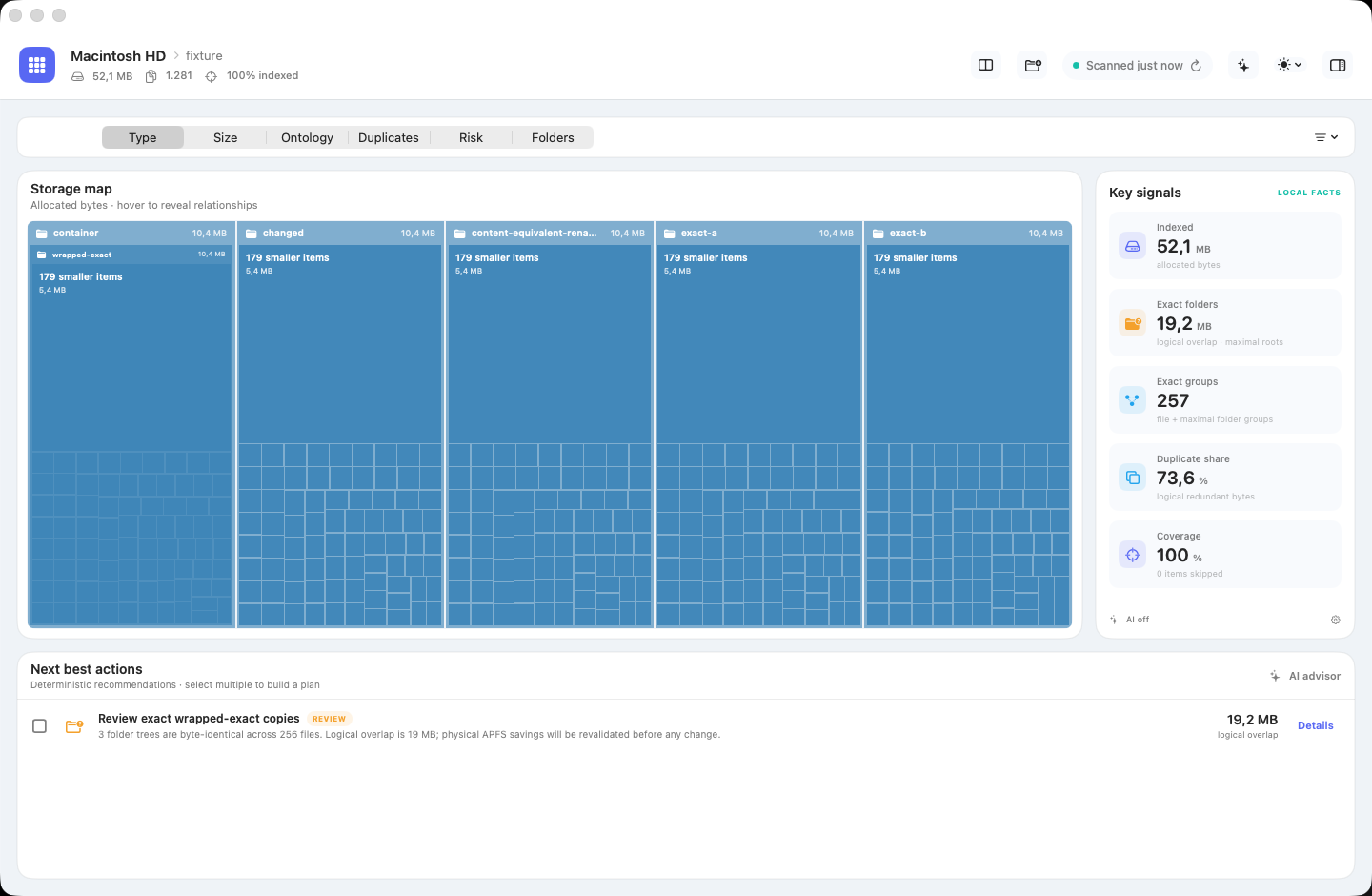
Storage Intelligence showing a storage map, key figures and recommended actions
Large folders and duplicates at a glance. See what consumes your storage and which findings you can review safely.

PrivateScans and file lists stay on your Mac.

ThoroughSHA-256 and byte comparison confirm exact duplicates.

ControlledRemoved files go to the Trash by default.

CarefulThe app checks files again before every change.

See. Verify. Clean up.

Storage Intelligence takes you from a full drive to a controlled change. Nothing is deleted automatically.

From the drive to a single file.

Move between areas, paths, types and relationships. Every view works with the same scan.

  • Treemap, directory tree, Sankey, force graph, 3D and more views
  • Combined filters for file types and extensions
  • Combine zoom, relationships, size metrics and colour coding
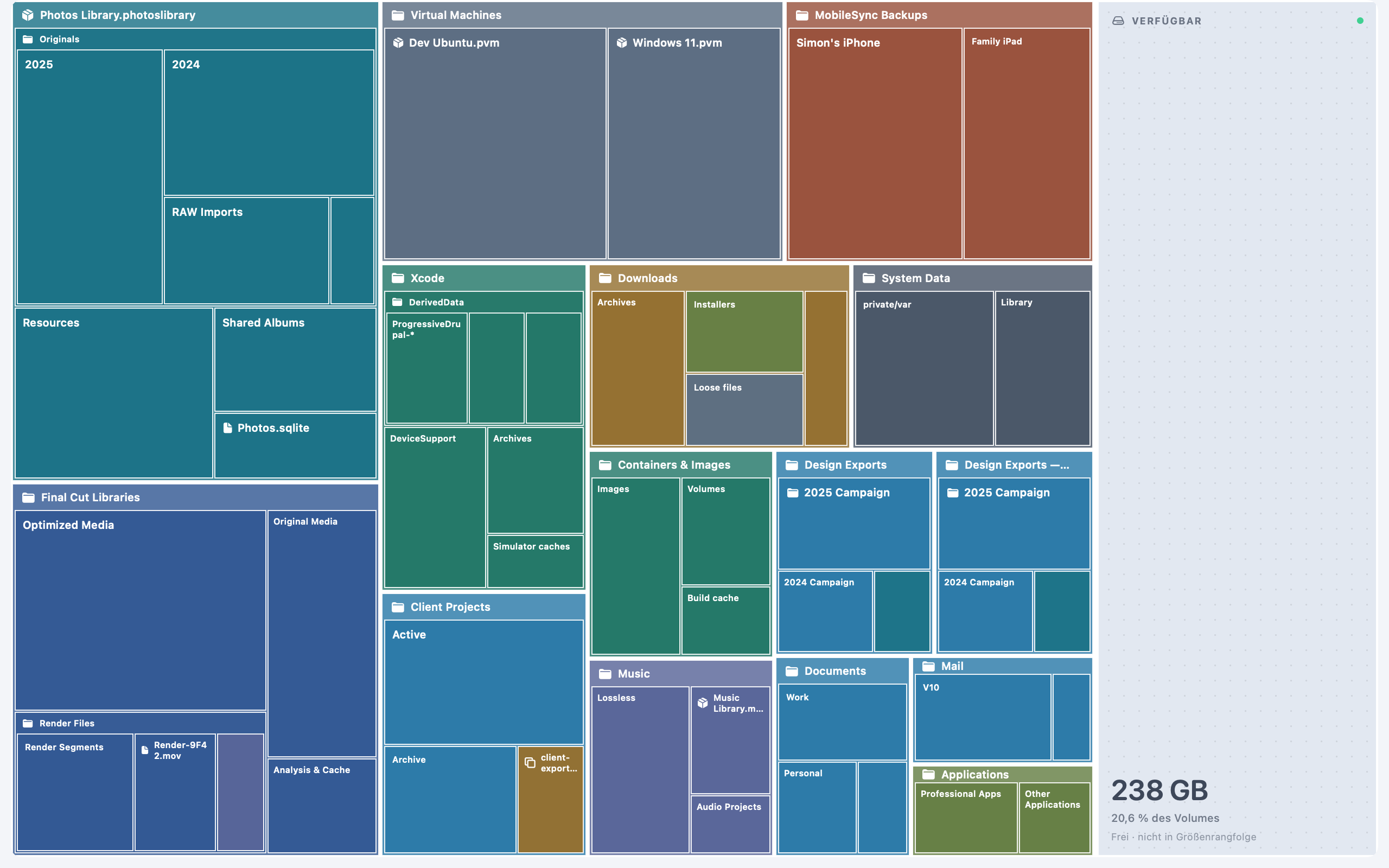
Hierarchical treemap in Storage Intelligence

Compare first. Clean up second.

Compare folders or volumes, inspect differences down to individual text lines and turn confirmed findings into a controlled plan.

  • Folder diff with integrity checks and a keep recommendation
  • Quick cleanup or one combined plan for multiple findings
  • Revalidation, Trash by default and a local activity log
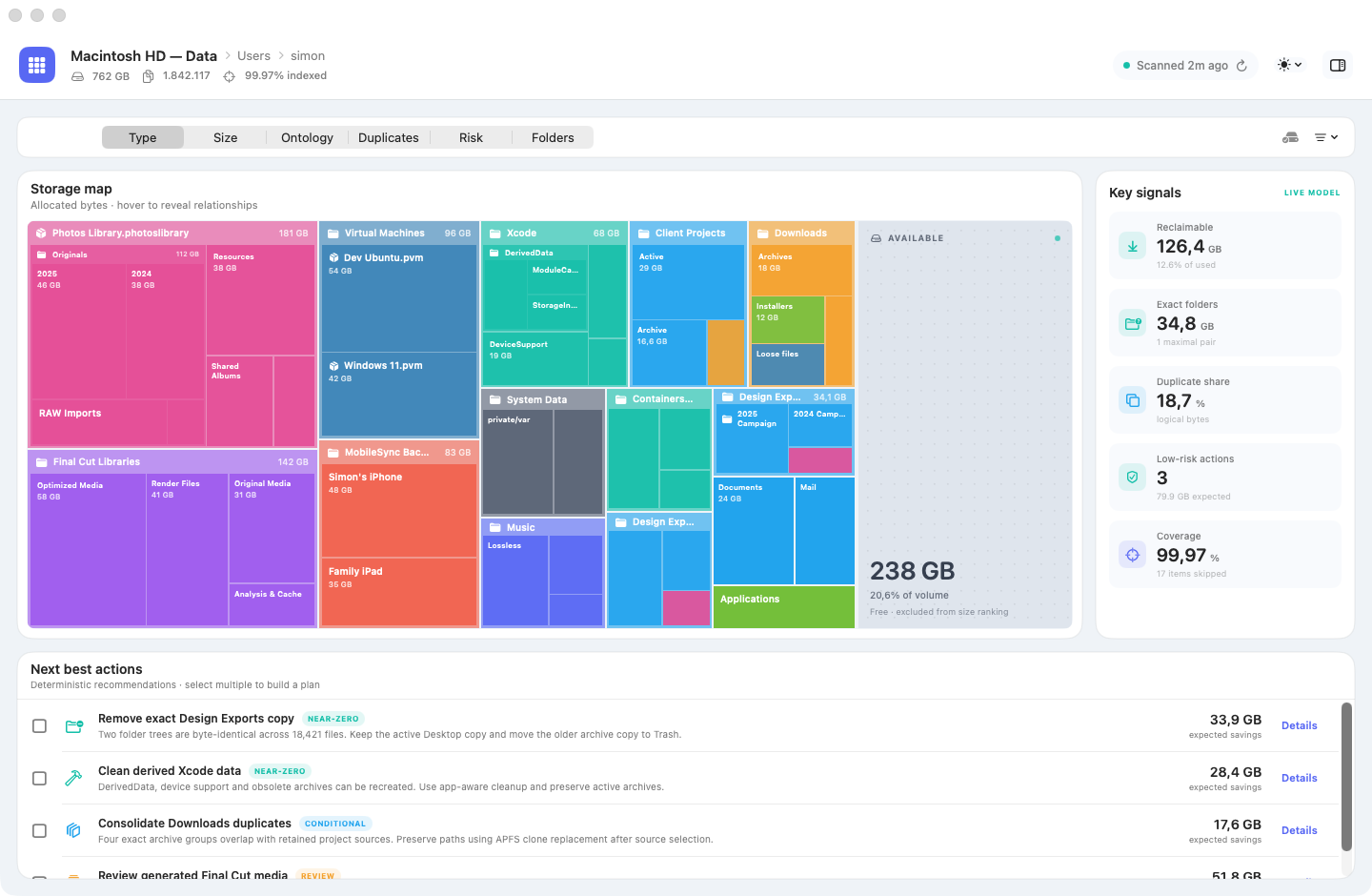
Action plan with exact duplicate groups, risk and expected savings

AI explains. The local engine decides.

The optional advisor explains findings. Local assistants may read saved scans, but cannot approve new locations or change files.

  • Local models or your own cloud provider
  • Keychain storage, path redaction and limited data packages
  • Read-only MCP for structure, analysis, history and plan previews
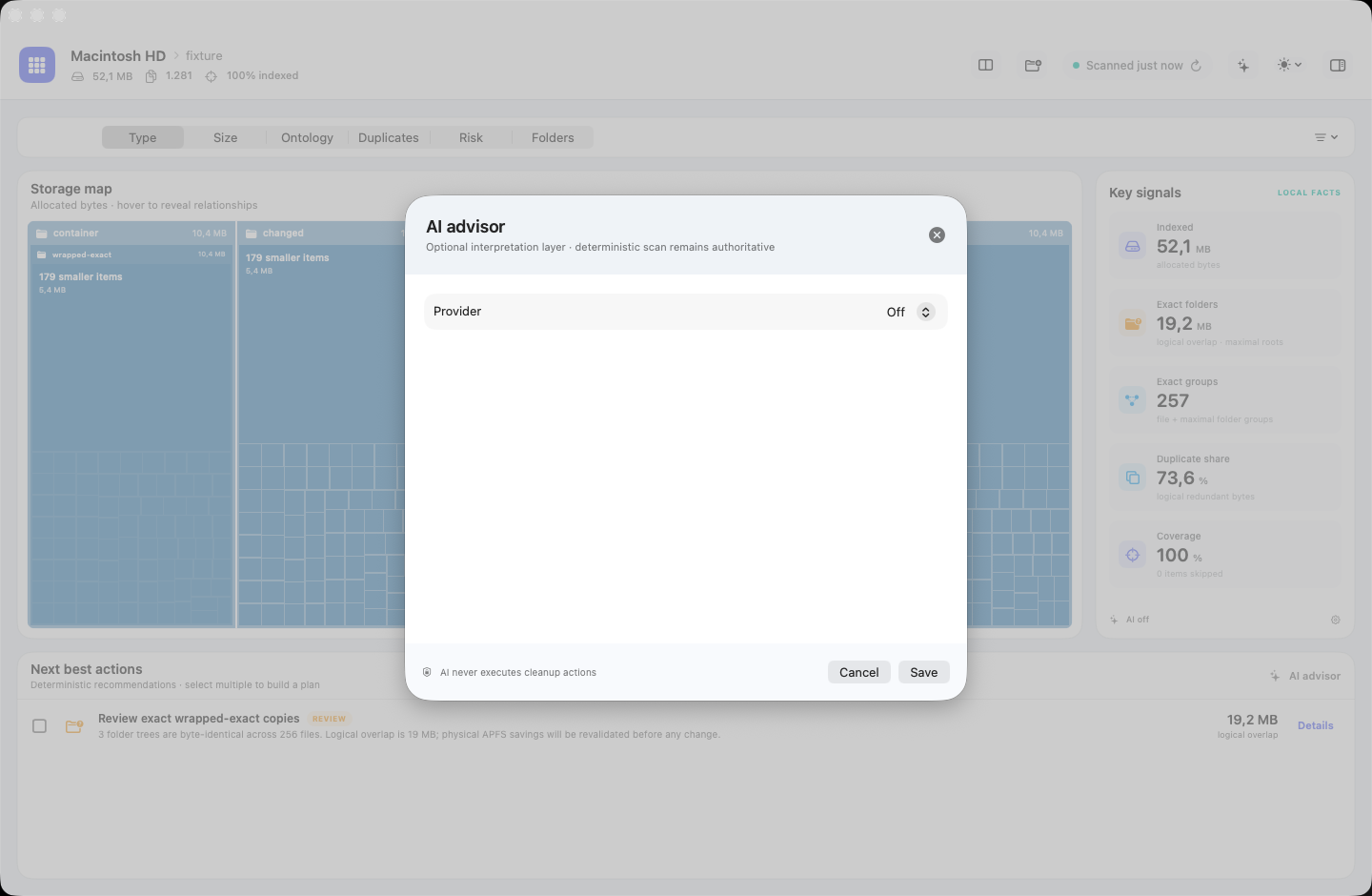
Settings for the optional AI advisor with local and cloud provider choices

Areas, paths, types, relationships.

The gallery shows a selection of views, from the treemap and directory tree to Sankey, force graph and the 3D world. Zoom and filters stay in place.

Hierarchische Treemap
Area represents storage use; nesting represents folder structure.A selection of all views

Tools for your storage

Analyse, compare and clean up safely.

Storage Intelligence goes beyond large files. It compares collections, identifies common space hogs and prepares safe cleanup actions.

01

Compare two locations

Compare folders and volumes side by side, including size changes, exact overlaps and file-by-file differences.

02

Find patterns in your files

Old installers, version chains, series folders and common cache or download locations appear as reviewable findings.

03

Clean up multiple findings

Quick cleanup and combined plans calculate savings, let you choose the copy to keep and revalidate before making changes.

04

Keep large scans under control

View-only mode, pausing and memory safeguards keep extensive analyses manageable, even when a volume contains very many files.

05

Search with focus

Multi-select file-type filters and the expandable directory tree take you straight to the relevant location.

06

Track changes over time

The local scan history shows file and size changes. Local assistants can also analyse saved findings in read-only mode.

Exact duplicate verification

Similar is not identical.

Storage Intelligence verifies duplicates locally using size, samples, SHA-256 and byte comparison. It checks again before cleanup.

  1. 01
    Size

    Only candidates of equal size proceed.

  2. 02
    Sample

    Fast signatures rule out mismatches.

  3. 03
    SHA-256

    A full content hash confirms candidates.

  4. 04
    Byte comparison

    Exact verification compares the actual content.

  5. 05
    Revalidation

    Every target is checked again immediately before a change.

AI may explain. Only you can change files in the app.

Local assistants may read saved analyses. New scans, moves and deletions remain inside Storage Intelligence.

Free forever

Use it for free. Unlock Pro for €3.

Free remains free and covers the local core analysis. Pro unlocks advanced tools for one payment, with no subscription.

Free

Analyse storage for free.

0 € free forever · no account · no time limit

  • Local analysis of folders and volumes
  • Treemap and directory tree
  • Size and file-type filters
  • Detect exact duplicates
  • Clean up individual findings with control
  • Use on one Mac for good
Download now

No trial period. Free features remain unlocked.

System
macOS 14 or later
Macs
Apple silicon and Intel
Licence
Personal, for up to three of your Macs
Release
Signed and Apple-notarised download

Development and accountability

A product by Simon Kock.

Storage Intelligence helps you understand what takes up space on your Mac and identify potential duplicates. Simon Kock defines the features and workflows, then checks the AI-assisted implementation against his own file structures. The product is provided by PROGRESSIVE digital – Kock, Rietz GbR.

Developed with generative AI

What is inside a large folder?

When reviewing the storage map, Simon found that a large block of color did not tell him enough about a folder. He wanted to see which subfolders and files took up the space. This led to a nested view with navigation into deeper levels and back.

Generative AI assists with implementing the interface, code and tests. Simon checks how the app works with actual file collections. Product decisions, safety boundaries and release approval remain the responsibility of the person behind it.

Generated
Alternatives for concept, interface and code
Verified
Automated tests and manual product review
Accountable
Explicit safety rules and human approval
Made withPROGRESSIVE Drupal The product website built with Progressive Drupal
The German and English website, checkout and license management run on Drupal. The macOS app is built separately with SwiftUI and AppKit.

Questions before you buy.

Do my files stay on my Mac?

Yes. Scans, hashes and cleanup plans stay on your Mac. Cloud AI is optional and only receives information you choose to share.

Does the app delete files by itself?

No. You confirm every change. By default, the app moves files to the Trash.

Will Free remain free?

Yes. Free features have no time limit. Pro permanently adds the extra views and tools.

Is Pro a subscription?

No. Pay €3 once and use the Pro features of Storage Intelligence 1 for good. Version 1.x updates are included.

How do I get the app and key?

Download the app for free on your Mac. Buy Pro separately if you need it; your licence key appears immediately after confirmed payment.

Storage Intelligence App-Icon

Storage Intelligence for macOS

Free up storage without deleting blindly.

Free forever. Pro for up to three of your Macs for a one-off €3.

Download now